Product Feed Logs
Go to the *Product feed logs’ tab to review recent imports.
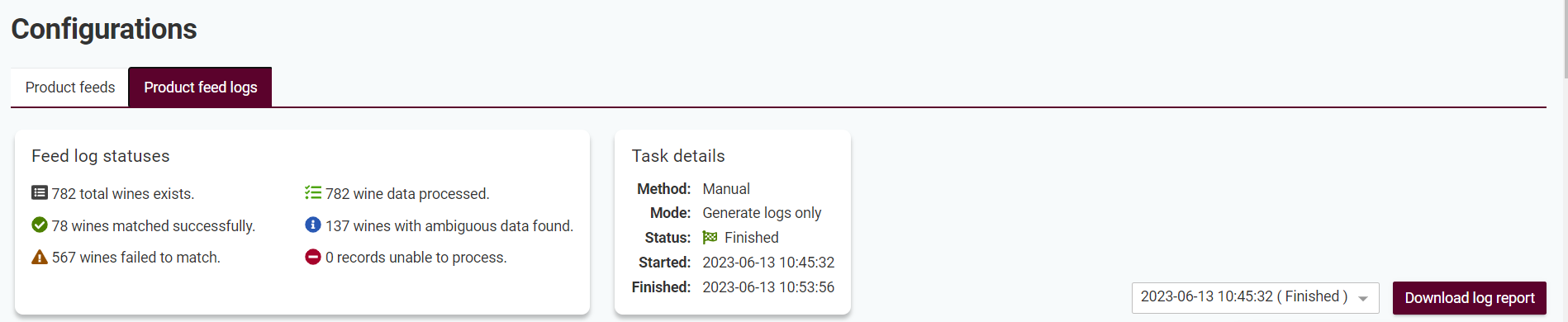
In the information section of the page there are details and statistics about the selected feed import. Change to any recent feed import jobs in the drop down to review and download results from previous runs.
Log Statuses
Successful - the wine was successfully found and all logs and updates of your wine cellar has been done. If using the ‘log only’ mode the last step to update the wine cellar has not been done. It is still counted as a success.
Ambigious - we found a matching wine using our search logic but we’re not certain it is the correct one. To avoid adding incorrect data to your wine cellar we therefore ask you to review these wines and add them manually.
Failure - we could not find any matching wine that passed our accuracy requirements. The reason can be that a) Wineally doesn’t yet have this wine available or b) the input data was not in a format where we could extract the information required. In any case we ask you to manually register these wines to your wine cellar.
When registering manually, always add your own productid as externalidin Wineally to ensure Wineally can find them in the coming scheduled updates from your product feed.